
Can I Use My E-ZPass in a Rental Car?

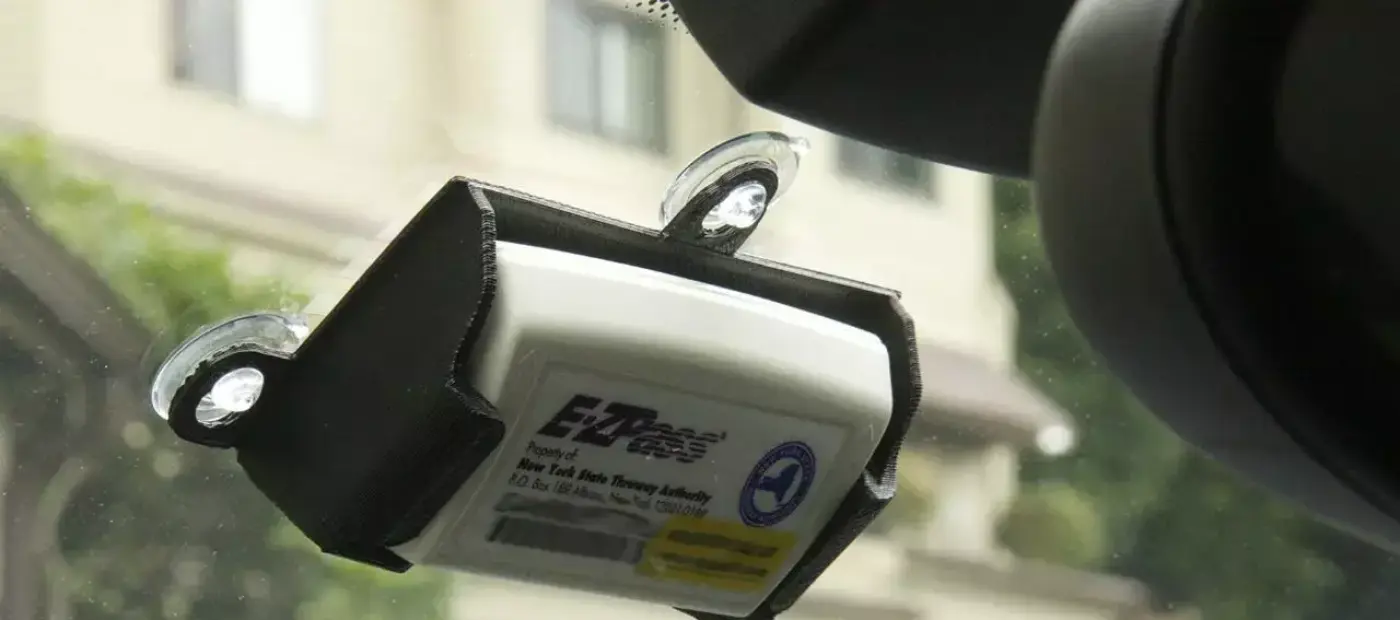
Yes, most rental car companies in the United States allow renters to use their personal transponder on a rental vehicle. They can also move the transponder from their personal vehicles to compatible rental cars. Using E-ZPass in a rental car is the easiest way to avoid the additional toll-processing fees charged by the rental agencies.
However, carrying the personal transponder alone is not enough to avoid extra fees. Renters must abide by the company-specific rules, add the rental car to the E-ZPass account, enter the rental duration, and do several other things to use it seamlessly. Lastly, one should keep in mind that the rules for using E-ZPass vary by rental company, rental period, toll authority, and state.
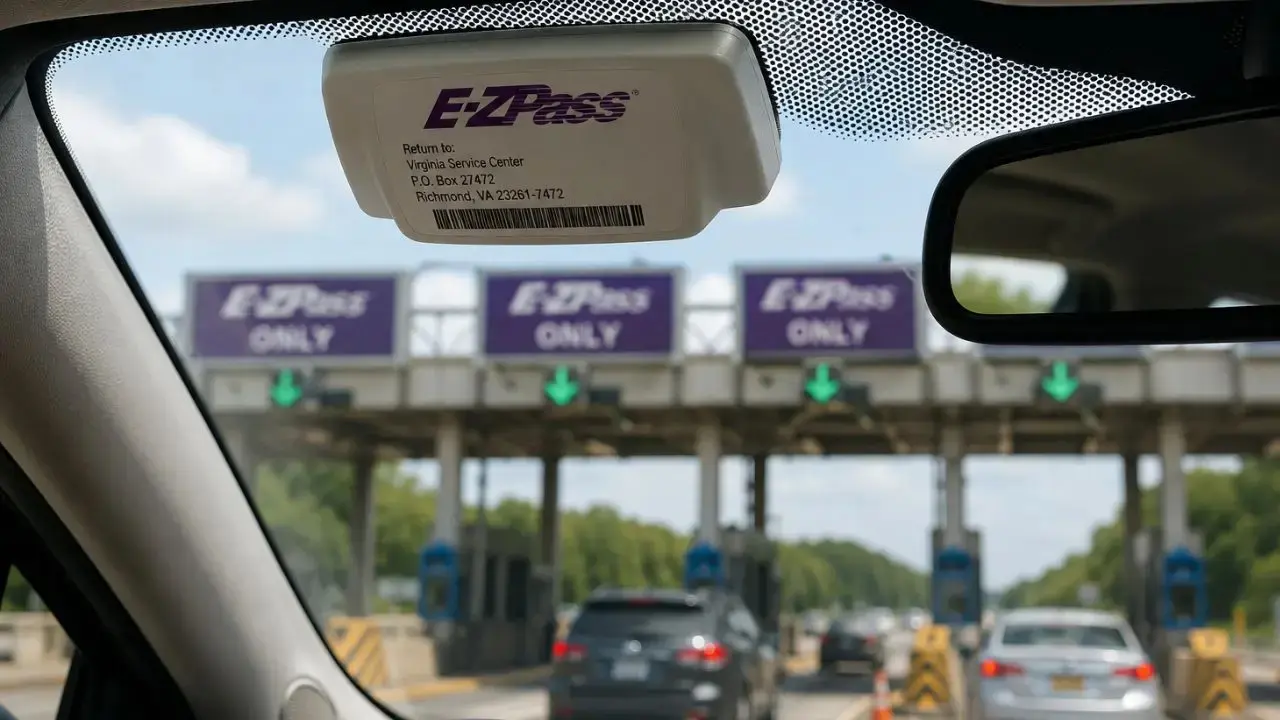
How Does E-ZPass Work in Rental Cars?
E-ZPass is a small electronic device or transponder. It is used to locate the existing account to pay tolls when passing compatible toll points. Some toll authorities in the USA also use license-plate-based cameras to collect tolls when a transponder is not detected.
-
With E-ZPass, these two details matter the most:
-
The E-ZPass transponder device
-
License plate of the rental car
Keep in mind that when the transponder device is mounted properly, the toll will be deducted directly from the E-ZPass account. If it is not detected, the toll company will use the plate number of the rental car. If both are not able to be identified, the toll agency will send the applicable tolls to the rental car company.
Is It Mandatory to Add the License Plate of the Rental Car on E-ZPass Account?
Absolutely yes. However, the exact need for this depends on the account issued by the E-ZPass agency. Some companies in the country often allow customers to add rental vehicles temporarily, along with the rental duration.
Other agencies, on the other hand, let the renters focus on the transponder primarily. However, they still suggest they register the rental’s license plate to prevent toll-by-plate fees. Before using E-ZPass, renters must understand these:
-
They should know if it is necessary to add the rental car to the E-ZPass account.
-
Whether the rental duration should be included or not.
-
Check whether the state and category of the rental vehicle should be included or not.
-
Learn about the outcomes when the transponder is unable to be detected.
-
Know the process of removing the rental car from the E-ZPass account after the journey.
Note: Always enter the correct details of the vehicle. Entering incorrect details of the plate will lead to additional penalties and higher toll fees.
How to Use E-ZPass in Rental Cars?
Using E-ZPass on a rental car is easy. Here are the steps one can follow to use this transponder without any hassle:
Step 1: Check the E-ZPass account
-
Before pickup, check if the E-ZPass account is active.
-
Validate the payment method added.
-
Make sure the account has enough prepaid balance for the trip.
-
Review the rental agency’s precise rules for E-ZPass.
-
Confirm if the E-ZPass is compatible with all toll roads coming on the route.
Step 2: Record the necessary details of the rental vehicle
-
During pick-up, renters must record some details.
-
These include the license plate number.
-
Type of the car, if needed.
-
Registration state.
-
Start and return date.
Step 3: Set up the transponder properly
-
E-ZPass providers usually give a guide for mounting.
-
Read the manual carefully and mount the device correctly.
-
Interior transponders should be placed near the rearview mirror or inside the windshield.
-
Do not place it in a center console, glove compartment, or case/bag that may block the signals.
-
Also avoid placing it on the dashboard or tinted glass section.
-
Remember, a poorly positioned device will not receive signals and create issues at the toll gates.
Step 4: Collect details about the toll device offered by the rental agency
-
Many rental agencies offer license-plate-based facilities, toll tags, or toll transponders.
-
Ask them about the same.
-
Check if they have any active built-in toll device or device that is automatically enabled.
-
Ask if pre-added toll tags can be declined or not.
-
Just follow the instructions of the rental company regarding the toll tags and E-ZPass.
Step 5: Remove the rental car from the transponder account after return
-
Once the trip is over, remove the rental car details from the E-ZPass account.
-
Double-check whether the trip has ended or not.
-
Review all transactions made with E-ZPass.
-
Check the credit card for toll charges as well.
-
Safely keep the rental contract until all tolls have been successfully posted.
-
Removal is mandatory to prevent the payment of future tolls when the car is not used by the renter.
Different Toll Programs Offered by Rental Car Agencies
Generally, every rental agency operates its own toll program. These toll programs charge the toll amount, along with daily service, administrative, and convenience fees. Before using E-ZPass, travelers should know the toll programs of major companies:
|
Car Rental Company |
Toll Program |
What to Check |
|
Enterprise |
Toll Pass |
Check the applicable fees and rules for using a personal transponder. |
|
Hertz |
Plate Pass |
Know the ways to avoid additional charges and the policy for personal transponders, like E-ZPass. |
|
Budget |
Budget E-Toll |
Check if the agency has personal transponder enabled/compatible vehicle options or not. |
|
Avis |
Avis E-Toll |
Renters should collect details regarding the addition of the license plate of the rental car. |
|
National |
Toll Pass |
Know if the rental vehicles offered by the agency are compatible with E-ZPass. |
Remember: Rules for E-ZPass on rental cars in the United States are different across the states, agencies, and toll authorities. So, collect accurate details beforehand to avoid penalties and higher fees.
Can Renters Decline Rental Agency’s Toll Program if They Have E-ZPass?
Yes, renters can decline the agency-based toll program and use their personal E-ZPass. Nonetheless, they must acquire certain details before using it. These include:
-
Confirm with the rental agency whether they allow using E-ZPass in a rental car at toll gates.
-
For instance, Avis allows renters to use their personal transponder on a rental car in Miami and other major cities.
-
The E-ZPass must have enough balance to pay the tolls without failure.
-
The position of the transponder plays a crucial role in proper detection.
-
Make sure it is mounted properly so that toll readers can easily identify it.
-
If the rental car already has a built-in toll system, disable it or simply decline it at the time of pickup.
-
Add the license plate as a precautionary measure, as some toll systems are unable to recognize the transponder.
-
Include the rental duration, including the start and end date of the trip, for easy processing.
-
Upon return, check the credit card transactions and E-ZPass account to match the toll payments and ensure there is no duplicate charge.
Can E-ZPass Transponders Be Used on All Toll Roads in the USA?
Simply not. A larger toll network in the country accepts E-ZPass, but not every state has this facility. Since one can use E-ZPass in a rental car, these are the roads/expressways where it is accepted:
|
State |
Expressways/Highways/Toll Roads/Toll Authorities |
|
Florida |
|
|
Michigan |
United Bridge Partners
|
|
Georgia |
|
|
Massachusetts |
|
|
Delaware |
Delaware River and Bay Authority |
|
Maine |
|
|
Indiana |
United Bridge Partners
Indiana Toll Road Concession Company |
|
New York |
Buffalo and Fort Erie Public Bridge Authority
New York State Bridge Authority
New York State Thruway Authority
Port Authority New York; New Jersey
MTA Bridges and Tunnels
Niagara Falls Bridge Commission
Nassau County Bridge Authority
Thousand Island Bridge Authority |
|
Maryland |
Maryland Transportation Authority
|
|
Ohio |
|
|
West Virginia |
|
|
Minnesota |
|
|
Rhode Island |
|
|
Pennsylvania |
Delaware River Port Authority
Delaware River Joint Toll Bridge Commission
|
|
Kentucky |
|
|
New Jersey |
Burlington County Bridge Commission
New Jersey Turnpike Authority
South Jersey Transportation Authority
Delaware River Joint Toll Bridge Commission
Delaware River and Bay Authority
Port Authority New York; New Jersey
Cape May County Bridge Commission
|
|
Virginia |
Virginia Department of Transportation
United Bridge Partners
|
|
North Carolina |
|
|
New Hampshire |
|
|
Illinois |
|
Note: Besides these states, E-ZPass may not be accepted by the toll systems. However, it is advised to check the state’s respective toll system and other relevant details beforehand.
What If a Renter is Charged by the Rental Company and E-ZPass Both?
In some cases, a renter can be charged by both E-ZPass and the rental company. However, they should not panic. Do the following if the same toll fee appears on the rental bill and the E-ZPass statement:
-
Compare the location, amount, time, and date of each transaction.
-
Save the history of E-ZPass transactions.
-
Keep the return receipt and rental agreement.
-
Connect with the toll department of the rental agency to confirm the tolls charged.
-
Get in touch with the E-ZPass company to report the incorrectly assigned tolls.
-
Request an itemized explanation before taking further steps.
-
When the duplicate tolls are available, the respective rental agency or E-ZPass company will initiate the refunds.
What is New About Using E-ZPass in Terms of Policies?
The rental car toll policies and E-ZPass processes are not the same nationwide. Instead, car rental companies can update or modify their rules, fees, and other aspects associated with E-ZPass. Therefore, renters must check with their E-ZPass issuing company, toll authority websites, rental agency, and location-based rules.
When it comes to the latest policy trends and updates, these include:
-
More cashless tolls with license-plate cameras will open where transponders, such as E-ZPass, can easily be used.
-
For billing, a rental company-based system will be in greater use in the near future.
-
Rental car companies will introduce more vehicles that are equipped for automatic processing at toll gates.
-
Rather than one countrywide fee, location-based toll fees will be scheduled soon.
-
Expansion of E-ZPass enabled tolls network.
What Mistakes to Avoid When Using E-ZPass on a Rental Car?
It is possible to use E-ZPass in rental cars, but to obtain all benefits, one should avoid these common mistakes:
-
Some renters think that an E-ZPass transponder is enough alone. However, they also need a rental transponder in case the toll system is unable to read the transponder.
-
If wrong details of the license plate details are entered, the chances are higher that the toll may be assigned to a different account or vehicle.
-
In some cases, renters forget to deactivate the company-based toll device. This will lead to additional toll fees for the same trip.
-
Not entering the return date will leave the device linked to the E-ZPass account. When someone else rents the device, the account may be charged for the tolls applicable.
-
Some people think that E-ZPass is accepted nationwide. However, this is not true. Every state has a different toll system. Thus, renters should validate the same beforehand.
-
Toll fees and policies are subject to change. Not checking them will result in surprises.
-
Some people do not check the final bill. This increases the chances of unexpected or incorrect tolls.
Finally,
Using E-ZPass in a rental car is allowed in the USA, but one should be aware of the rental company-based rules and policies. Furthermore, visitors should also register the license plate of the vehicle and mount the E-ZPass transponder correctly to have a smooth experience. Lastly, it is advised to match the final bill and credit card receipt to avoid duplicate and unexpected fees.
Questions readers ask
How to create an account for E-ZPass?
To create an account to use E-ZPass, just go to the official website and sign up. Follow on-screen prompts to complete the process.
Where can I use my E-ZPass in the United States?
In the United States, 19 states are the participants. These include New York, Indiana, Ohio, Virginia, Maine, New Jersey, and others.
Do I need multiple E-ZPass accounts for different rental cars?
No, only one account is enough. You just need to update the car’s details to pay at the participating tolls.
How much can I save in New York with E-ZPass?
Customers of E-ZPass can save up to 75% on all tolls in New York.
Do all car rental companies allow E-ZPass?
No, not all car rental service providers allow using the E-ZPass. So, check with the respective company for details.